Web Scraping with CAPTCHA Solving: The Complete Guide
How to handle CAPTCHAs in web scraping pipelines — from detecting CAPTCHA types to integrating solver APIs, managing proxies, and building resilient scraping workflows.

Web scraping with CAPTCHA solving is the practice of programmatically extracting data from websites while automatically handling any CAPTCHA challenges that appear along the way. As more websites deploy anti-bot protections, building scrapers that can detect and solve CAPTCHAs has become a critical skill for anyone working in data extraction, market research, or competitive intelligence.
This guide covers every aspect of handling CAPTCHAs in your scraping workflows — from identifying which CAPTCHA type you’re facing to integrating solver APIs, choosing between headless browsers and HTTP requests, managing proxies, and building resilient pipelines that run at scale.
Why CAPTCHAs Appear During Scraping
Websites deploy CAPTCHAs as a gatekeeper to distinguish humans from bots. Your scraper will encounter them in several situations:
- High request frequency — sending too many requests in a short time trips rate-based defenses.
- Missing or suspicious headers — bot-like User-Agent strings, missing
Accept-Language, or absent cookies signal automated traffic. - Datacenter IP addresses — requests from AWS, GCP, or other cloud providers often trigger stricter checks.
- JavaScript fingerprinting failures — sites running Cloudflare, Akamai, or PerimeterX may challenge clients that fail browser-environment checks.
- Login and form submission pages — CAPTCHAs protect forms from automated abuse.
Understanding why CAPTCHAs appear helps you reduce their frequency. Sometimes adjusting request patterns eliminates CAPTCHAs entirely. When they’re unavoidable, you need a solver.
Detecting CAPTCHA Types in the Wild
Before solving a CAPTCHA, your scraper needs to identify what it’s facing. Here’s how to detect the most common types.
reCAPTCHA v2 (Checkbox and Invisible)
Look for a <div> with class="g-recaptcha" and a data-sitekey attribute. The reCAPTCHA JavaScript is loaded from google.com/recaptcha/api.js.
import re

def detect_recaptcha_v2(html: str) -> str | None:
    match = re.search(r'data-sitekey=["\']([a-zA-Z0-9_-]+)["\']', html)
    return match.group(1) if match else None
reCAPTCHA v3 (Score-Based)
reCAPTCHA v3 runs in the background without user interaction. Detect it by finding grecaptcha.execute calls in the page’s JavaScript. The site key is passed as the first argument.
hCaptcha
hCaptcha uses a <div> with class="h-captcha" and a data-sitekey attribute. The script loads from js.hcaptcha.com/1/api.js.
Cloudflare Turnstile
Turnstile embeds a <div> with class="cf-turnstile" and a data-sitekey attribute. The script loads from challenges.cloudflare.com/turnstile/v0/api.js.
Cloudflare Challenge Pages
These are full-page challenges (the “Checking your browser” interstitial). They don’t have a simple site key — you’ll need to handle them with a browser-based approach or use a specialized task type like AntiCloudflareTask.
A Universal Detection Function
from dataclasses import dataclass

@dataclass
class CaptchaInfo:
    type: str
    sitekey: str

def detect_captcha(html: str) -> CaptchaInfo | None:
    # reCAPTCHA v2/v3
    if "google.com/recaptcha" in html or "g-recaptcha" in html:
        match = re.search(r'data-sitekey=["\']([a-zA-Z0-9_-]+)["\']', html)
        if match:
            return CaptchaInfo(type="RecaptchaV2Task", sitekey=match.group(1))

    # hCaptcha
    if "hcaptcha.com" in html or "h-captcha" in html:
        match = re.search(r'data-sitekey=["\']([a-zA-Z0-9-]+)["\']', html)
        if match:
            return CaptchaInfo(type="HardCaptchaTask", sitekey=match.group(1))

    # Turnstile
    if "challenges.cloudflare.com/turnstile" in html or "cf-turnstile" in html:
        match = re.search(r'data-sitekey=["\']([a-zA-Z0-9_-]+)["\']', html)
        if match:
            return CaptchaInfo(type="TurnstileTask", sitekey=match.group(1))

    return None
Integrating a CAPTCHA Solver API
Once you’ve detected the CAPTCHA, the next step is sending it to a solver API. The workflow follows a two-step pattern: create a task, then poll for the result.
Step 1: Create a Task
Submit the CAPTCHA parameters to the solver. Here’s how it works with the uCaptcha API:
import requests
import time

UCAPTCHA_API_KEY = "your_api_key"
BASE_URL = "https://api.ucaptcha.net"

def create_captcha_task(captcha_type: str, website_url: str, website_key: str) -> str:
    response = requests.post(f"{BASE_URL}/createTask", json={
        "clientKey": UCAPTCHA_API_KEY,
        "task": {
            "type": captcha_type,
            "websiteURL": website_url,
            "websiteKey": website_key,
        }
    })
    data = response.json()
    if data.get("errorId"):
        raise Exception(f"API error: {data.get('errorDescription')}")
    return data["taskId"]
Step 2: Poll for the Result
CAPTCHA solving takes a few seconds. Poll the result endpoint until the task is complete:
def get_task_result(task_id: str, max_wait: int = 120) -> str:
    elapsed = 0
    while elapsed < max_wait:
        time.sleep(5)
        elapsed += 5
        response = requests.post(f"{BASE_URL}/getTaskResult", json={
            "clientKey": UCAPTCHA_API_KEY,
            "taskId": task_id,
        })
        data = response.json()
        if data["status"] == "ready":
            return data["solution"]["gRecaptchaResponse"]
        if data.get("errorId"):
            raise Exception(f"Solve error: {data.get('errorDescription')}")
    raise TimeoutError("CAPTCHA solve timed out")
Step 3: Use the Token
Inject the solved token back into your request. For reCAPTCHA, this means setting the g-recaptcha-response form field or calling grecaptcha.getResponse() in a browser context.
Headless Browser vs. HTTP Request Approach
You have two main strategies for scraping sites with CAPTCHAs. Each has distinct tradeoffs.
HTTP Request Approach
Send raw HTTP requests using libraries like Python’s requests or Node’s axios. Extract CAPTCHA parameters from the HTML, solve via API, and include the token in your form submission.
Advantages:
- Fast and lightweight — no browser overhead.
- Lower memory and CPU usage.
- Easier to scale to thousands of concurrent requests.
Disadvantages:
- Can’t execute JavaScript, so some CAPTCHAs (especially Cloudflare challenges) won’t work.
- You must manually construct form data, cookies, and headers.
- Sites with heavy JS rendering may return incomplete HTML.
Best for: Sites with static HTML forms protected by reCAPTCHA v2 or hCaptcha.
Headless Browser Approach
Use Selenium, Puppeteer, or Playwright to load pages in a real browser. The browser executes JavaScript, renders the page, and you inject CAPTCHA tokens through the DOM.
Advantages:
- Handles JavaScript-heavy sites.
- Browser fingerprint looks more human.
- Works with all CAPTCHA types, including Cloudflare challenges.
Disadvantages:
- Higher resource usage (each browser instance uses 100-300 MB of RAM).
- Slower page loads.
- More complex infrastructure to scale.
Best for: SPAs, JavaScript-rendered pages, and Cloudflare-protected sites. For detailed implementation examples, see our guide on handling CAPTCHAs in Selenium, Puppeteer, and Playwright.
Hybrid Approach
Many production scrapers use a hybrid strategy: start with HTTP requests for speed, and fall back to a headless browser only when a CAPTCHA or JavaScript rendering is required. This gives you the best of both worlds.
def scrape_page(url: str) -> str:
    # Try HTTP first
    response = requests.get(url, headers=HEADERS)

    captcha = detect_captcha(response.text)
    if captcha is None and len(response.text) > 1000:
        return response.text  # No CAPTCHA, return HTML

    # Fall back to browser
    return scrape_with_browser(url)
Building a CAPTCHA-Aware Scraper
Let’s put the pieces together into a complete scraper that handles CAPTCHAs automatically.
import requests
import time
import re
from typing import Optional

class CaptchaScraper:
    def __init__(self, api_key: str):
        self.api_key = api_key
        self.base_url = "https://api.ucaptcha.net"
        self.session = requests.Session()
        self.session.headers.update({
            "User-Agent": "Mozilla/5.0 (Windows NT 10.0; Win64; x64) "
                          "AppleWebKit/537.36 Chrome/131.0.0.0 Safari/537.36",
            "Accept-Language": "en-US,en;q=0.9",
        })

    def solve_captcha(self, captcha_type: str, url: str, sitekey: str) -> str:
        # Create task
        resp = self.session.post(f"{self.base_url}/createTask", json={
            "clientKey": self.api_key,
            "task": {
                "type": f"{captcha_type}Proxyless",
                "websiteURL": url,
                "websiteKey": sitekey,
            }
        })
        task_id = resp.json()["taskId"]

        # Poll for result
        for _ in range(30):
            time.sleep(5)
            result = self.session.post(f"{self.base_url}/getTaskResult", json={
                "clientKey": self.api_key,
                "taskId": task_id,
            }).json()
            if result["status"] == "ready":
                return result["solution"]["gRecaptchaResponse"]
        raise TimeoutError("CAPTCHA solving timed out")

    def scrape(self, url: str) -> str:
        response = self.session.get(url)

        captcha = detect_captcha(response.text)
        if captcha:
            token = self.solve_captcha(captcha.type, url, captcha.sitekey)
            # Re-submit with token
            response = self.session.post(url, data={
                "g-recaptcha-response": token,
            })

        return response.text

# Usage
scraper = CaptchaScraper(api_key="YOUR_UCAPTCHA_KEY")
html = scraper.scrape("https://example.com/protected-page")
For a Python-specific deep dive with more examples, see our guide on Python web scraping with automatic CAPTCHA solving.
Proxy Management for Scraping
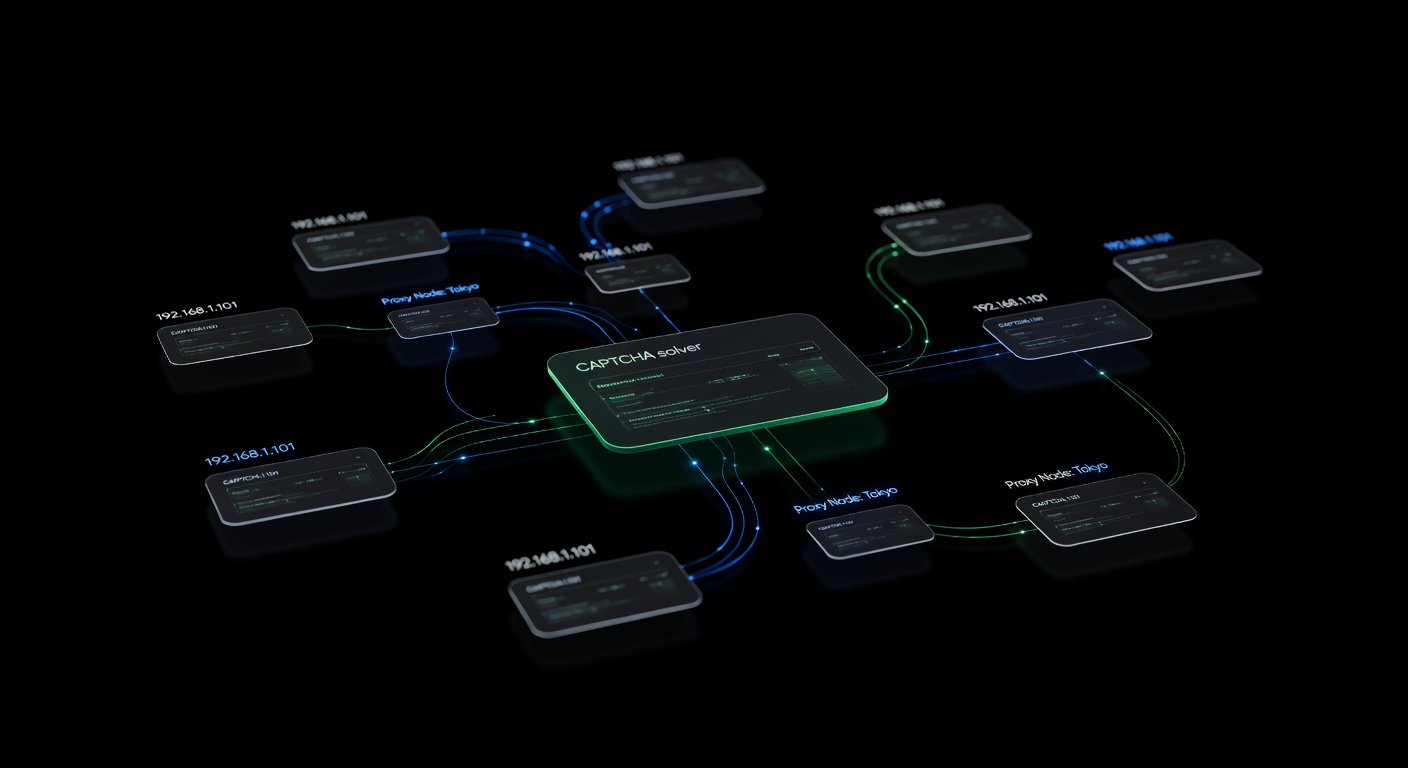
Proxies serve two purposes in CAPTCHA-heavy scraping: reducing the frequency of CAPTCHA challenges and providing the correct IP context for CAPTCHA solving.
Why Proxies Reduce CAPTCHAs
Websites track request volume per IP. If you’re sending hundreds of requests from a single IP, you’ll hit CAPTCHA challenges quickly. Rotating through a pool of residential or ISP proxies distributes your traffic across many IPs, keeping each one under the radar.
Proxy Types for Scraping
| Type | Speed | Cost | CAPTCHA Avoidance |
|---|---|---|---|
| Datacenter | Fast | Low | Poor — easily flagged |
| Residential | Medium | High | Good — looks like real users |
| ISP/Static Residential | Fast | Medium | Great — real ISP, stable IP |
| Mobile | Slow | Very High | Best — highest trust level |
Proxy vs. Proxyless Task Types
When submitting a CAPTCHA to the solver API, you can choose between proxy and proxyless task types:
- Proxyless (e.g.,
RecaptchaV2TaskProxyless) — the solver uses its own infrastructure to solve. Simpler to implement, works for most cases. - Proxy (e.g.,
RecaptchaV2Task) — you provide your proxy, and the solver uses it. Required when the target site validates that the CAPTCHA was solved from the same IP that submitted the form.
For a deeper dive into proxy strategies, see our guide on proxies and CAPTCHA solving best practices.
Rate Limiting to Avoid CAPTCHAs
The best CAPTCHA is the one you never have to solve. Smart rate limiting reduces CAPTCHA encounters and saves both time and money.
Request Throttling
Add delays between requests to mimic human browsing patterns:
import random

def human_delay():
    """Random delay between 2-7 seconds"""
    time.sleep(random.uniform(2, 7))
Adaptive Rate Limiting
Track CAPTCHA frequency and slow down when CAPTCHAs appear:
class AdaptiveThrottle:
    def __init__(self):
        self.captcha_count = 0
        self.request_count = 0
        self.base_delay = 2.0

    def get_delay(self) -> float:
        if self.request_count == 0:
            return self.base_delay
        captcha_rate = self.captcha_count / self.request_count
        if captcha_rate > 0.3:
            return self.base_delay * 4  # Slow way down
        elif captcha_rate > 0.1:
            return self.base_delay * 2  # Moderate slowdown
        return self.base_delay

    def record_request(self, had_captcha: bool):
        self.request_count += 1
        if had_captcha:
            self.captcha_count += 1
Session and Cookie Management
Maintaining sessions with proper cookies tells the website you’re a returning visitor. Always reuse session cookies after solving a CAPTCHA — the token often grants a grace period before the next challenge.
Request Header Rotation
Rotate User-Agent strings and other headers to avoid fingerprint-based blocking:
USER_AGENTS = [
    "Mozilla/5.0 (Windows NT 10.0; Win64; x64) AppleWebKit/537.36 ...",
    "Mozilla/5.0 (Macintosh; Intel Mac OS X 14_0) AppleWebKit/537.36 ...",
    "Mozilla/5.0 (X11; Linux x86_64) AppleWebKit/537.36 ...",
]

headers = {
    "User-Agent": random.choice(USER_AGENTS),
    "Accept": "text/html,application/xhtml+xml,application/xml;q=0.9,*/*;q=0.8",
    "Accept-Language": "en-US,en;q=0.9",
    "Accept-Encoding": "gzip, deflate, br",
    "DNT": "1",
}
Building Resilient Scraping Pipelines
For anything beyond small scripts, you need a production-grade pipeline with queues, workers, retries, and monitoring.
Architecture Overview
A resilient pipeline separates concerns into distinct layers:
- URL Queue — a message queue (Redis, RabbitMQ) holds URLs to scrape.
- Worker Pool — multiple workers pull URLs, fetch pages, and detect CAPTCHAs.
- CAPTCHA Solving Service — a dedicated service handles solver API calls, with its own retry logic.
- Proxy Rotation Layer — manages proxy assignment and health checks.
- Result Storage — parsed data goes to a database or data lake.
- Monitoring — tracks success rates, CAPTCHA rates, solve times, and failures.
[URL Queue] → [Worker Pool] → [CAPTCHA Solver] → [Result Storage]
                   ↕                                      ↓
            [Proxy Rotator]                        [Monitoring]
Retry Logic
Not every failure is permanent. Implement tiered retries:
import asyncio
from typing import Callable

async def retry_with_backoff(
    func: Callable,
    max_retries: int = 3,
    base_delay: float = 2.0,
):
    for attempt in range(max_retries):
        try:
            return await func()
        except Exception as e:
            if attempt == max_retries - 1:
                raise
            delay = base_delay * (2 ** attempt)
            await asyncio.sleep(delay)
Error Classification
Not all errors deserve retries. Classify errors into categories:
- Retryable: Network timeouts, 429 (rate limited), 503 (server overloaded), CAPTCHA solve timeout.
- Non-retryable: 404 (page not found), 403 with IP ban (switch proxy), invalid CAPTCHA parameters.
- Recoverable: CAPTCHA detected (solve and retry), session expired (refresh cookies).
For a full deep dive into pipeline architecture with queue design and monitoring, see our guide on building a production CAPTCHA-solving scraping pipeline.
Handling Different CAPTCHA Types in Scraping Workflows
Each CAPTCHA type requires slightly different handling in your scraper.
reCAPTCHA v2
The most common CAPTCHA in scraping. Extract the data-sitekey, solve via API, and inject the token into g-recaptcha-response textarea (hidden) or include it in your POST data.
reCAPTCHA v3
Score-based, no user interaction. You submit the site key and action name, and receive a token. Some sites only check the token’s presence, while others validate the score. You may need the action parameter:
task = {
    "type": "RecaptchaV3TaskProxyless",
    "websiteURL": "https://example.com",
    "websiteKey": "6LdXXXXXXXXXXXXXXXXXXXXXX",
    "pageAction": "submit",
    "minScore": 0.7,
}
hCaptcha
Similar workflow to reCAPTCHA v2. Extract the site key from the h-captcha div, solve, and inject the token into the h-captcha-response field.
Cloudflare Turnstile
Turnstile is increasingly common. Extract the site key from the cf-turnstile div, solve via the TurnstileTaskProxyless task type, and inject the token into the cf-turnstile-response field.
Image CAPTCHAs
Old-school image-to-text CAPTCHAs still exist. Capture the image, base64-encode it, and send it to the solver:
import base64

def solve_image_captcha(image_bytes: bytes) -> str:
    encoded = base64.b64encode(image_bytes).decode()
    resp = requests.post(f"{BASE_URL}/createTask", json={
        "clientKey": UCAPTCHA_API_KEY,
        "task": {
            "type": "ImageToTextTask",
            "body": encoded,
        }
    })
    task_id = resp.json()["taskId"]
    # Poll for result...
    return get_task_result(task_id)
Scaling Your CAPTCHA-Solving Scraper
When you move from scraping dozens of pages to millions, you need to think about concurrency, cost, and reliability.
Concurrent Solving
Submit multiple CAPTCHA tasks simultaneously. uCaptcha routes tasks across multiple backend providers (CapSolver, 2Captcha, AntiCaptcha, CapMonster, and more), so concurrent requests are distributed efficiently:
import asyncio
import aiohttp

async def solve_batch(tasks: list[dict]) -> list[str]:
    async with aiohttp.ClientSession() as session:
        # Create all tasks concurrently
        create_coros = [
            session.post(f"{BASE_URL}/createTask", json={
                "clientKey": UCAPTCHA_API_KEY,
                "task": task,
            })
            for task in tasks
        ]
        responses = await asyncio.gather(*create_coros)
        task_ids = [
            (await r.json())["taskId"] for r in responses
        ]

        # Poll all results concurrently
        results = await asyncio.gather(*[
            poll_result(session, tid) for tid in task_ids
        ])
        return results
Cost Optimization
CAPTCHA solving is a per-solve cost. Minimize it by:
- Avoiding unnecessary CAPTCHAs through proper rate limiting and proxy rotation.
- Caching solved sessions — after solving one CAPTCHA, the session cookies often grant access for several minutes.
- Using the right task type — proxyless tasks are cheaper than proxy tasks when the site doesn’t validate IP consistency.
- Setting up routing — uCaptcha lets you configure routing presets (Cheapest, Fastest, Reliable) to optimize cost vs. speed.
Monitoring and Alerting
Track these metrics in production:
- CAPTCHA encounter rate — if it spikes, your anti-detection measures may need tuning.
- Solve success rate — should be above 95%. Low rates indicate incorrect parameters.
- Solve time — average time from task creation to result.
- Cost per page — total CAPTCHA spending divided by pages scraped.
Common Pitfalls
Ignoring CAPTCHA tokens expiration. Solved tokens expire within 60-120 seconds. Use them immediately after receiving them.
Not rotating sessions. Reusing the same session after multiple CAPTCHA solves can flag your IP. Rotate sessions periodically.
Hardcoding CAPTCHA detection. Websites update their CAPTCHA implementations. Use flexible detection patterns rather than exact HTML matching.
Skipping error handling. API errors, network timeouts, and invalid responses happen. Always wrap solver calls in proper error handling with retries.
Overloading a single proxy. Distribute requests across your proxy pool evenly. A single overloaded proxy triggers more CAPTCHAs than many lightly-used ones.
Conclusion
Building a web scraper that handles CAPTCHAs effectively requires attention to every layer of the stack: detecting CAPTCHA types reliably, integrating solver APIs with proper polling and error handling, managing proxies intelligently, and building pipelines that recover from failures. The techniques in this guide apply whether you’re scraping a few hundred pages or millions.
uCaptcha simplifies the solver integration by routing your tasks across multiple providers through a single API endpoint. You set your routing preferences — cheapest, fastest, or most reliable — and the platform handles provider selection, failover, and load balancing. Combined with the proxy strategies and pipeline architecture covered here, you have everything you need to build scrapers that handle CAPTCHAs at any scale.
Frequently Asked Questions
How do I handle CAPTCHAs while web scraping?
When your scraper encounters a CAPTCHA, extract the CAPTCHA parameters (site key, URL) and submit them to a CAPTCHA solver API. Once solved, inject the token into your request or browser session and continue scraping.
What is the best tool for scraping sites with CAPTCHAs?
Combine a browser automation tool (Playwright or Puppeteer) with a CAPTCHA solver API like uCaptcha. The browser handles page rendering while the API solves any CAPTCHAs encountered.
Does web scraping always require CAPTCHA solving?
No. Many sites don't use CAPTCHAs, and proper request headers, rate limiting, and proxy rotation can often avoid triggering them. CAPTCHA solving is needed when challenges are unavoidable.
Related Articles

Building a Production CAPTCHA-Solving Scraping Pipeline
Architecture guide for building a production-grade web scraping pipeline with integrated CAPTCHA solving — queues, retries, proxy rotation, and monitoring.

Handling CAPTCHAs in Selenium, Puppeteer & Playwright
How to integrate CAPTCHA solving into browser automation frameworks — Selenium (Python), Puppeteer (Node.js), and Playwright with practical code examples.
Proxies and CAPTCHA Solving: Best Practices for Scale
How to combine proxy rotation with CAPTCHA solving for large-scale automation — proxy types, when proxies help avoid CAPTCHAs, and when to use proxy vs proxyless task types.