Understanding Anti-Bot Systems: A Developer's Guide
Deep dive into how anti-bot systems work — browser fingerprinting, behavioral analysis, CAPTCHA triggers, IP reputation, and how modern bot protection detects automation.
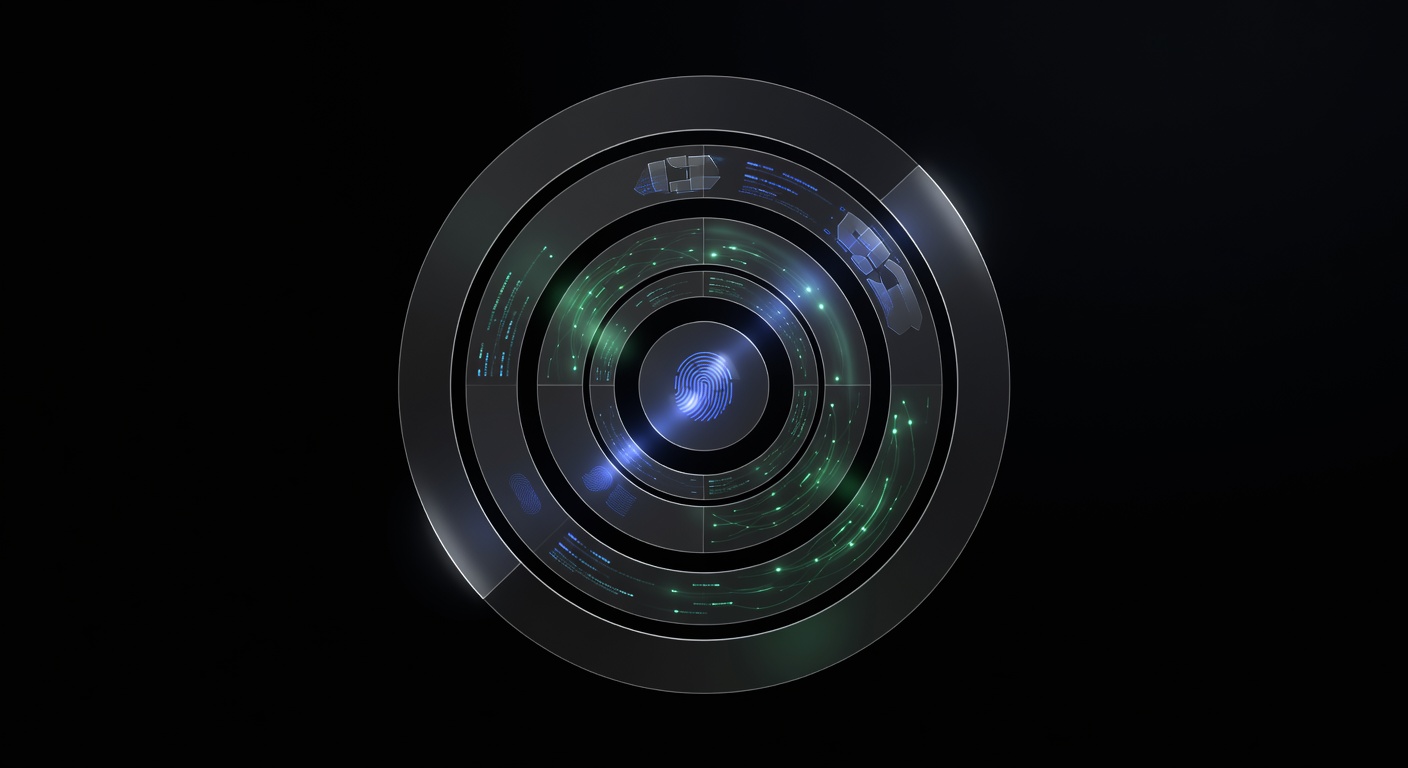
Understanding Anti-Bot Systems: A Developer’s Guide
Anti-bot systems are multi-layered security platforms that websites deploy to distinguish human visitors from automated scripts, scrapers, and bots. Whether you are building web scrapers, running automated QA pipelines, or developing accessibility tools, understanding how these systems work is essential for building reliable automation that does not break when a site upgrades its defenses.
This guide covers the core detection techniques that anti-bot platforms use, the major players in the bot protection market, how CAPTCHAs fit into the broader detection strategy, and what developers need to know to work effectively with protected sites. For a focused look at the different CAPTCHA types you will encounter, see our companion post on types of CAPTCHAs explained.
How Bot Detection Works
Anti-bot systems do not rely on a single check. They combine dozens of signals into a risk score, and that score determines whether a visitor gets served content normally, presented with a CAPTCHA challenge, or blocked outright. The major signal categories are browser fingerprinting, behavioral analysis, IP reputation, TLS fingerprinting, and JavaScript environment checks.
Browser Fingerprinting
Browser fingerprinting is the foundation of most anti-bot systems. The idea is simple: every browser has a unique combination of properties that can be collected without cookies or user consent. Anti-bot platforms gather these properties and compare them against known patterns of real browsers.
Canvas fingerprinting renders invisible graphics using the HTML5 Canvas API and hashes the result. Different GPUs, operating systems, and font rendering engines produce subtly different pixel outputs. A headless browser running on a Linux server will produce a different canvas hash than Chrome on Windows, even with identical settings.
WebGL fingerprinting extends this concept into 3D rendering. By querying the WebGL renderer and vendor strings, anti-bot systems can identify the exact GPU (or lack thereof) behind the browser. A “Google SwiftShader” renderer is a strong signal of headless Chrome, since real users almost never use software-based GPU emulation.
Font enumeration checks which fonts are installed on the system. A clean Linux server typically has a minimal font set compared to a desktop Windows installation. Anti-bot systems maintain databases of expected font sets per operating system and flag anomalies.
Navigator properties include the user agent string, platform, language, screen resolution, timezone, hardware concurrency (CPU cores), and device memory. Inconsistencies between these values — such as a Windows user agent with a Linux platform — are immediate red flags.
Audio fingerprinting uses the Web Audio API to generate a signal and measure how the browser processes it. Like canvas fingerprinting, the output varies slightly across hardware and software configurations, creating another unique identifier.
The key challenge for automation is consistency. Anti-bot systems do not just check individual values — they check whether the values make sense together. A browser claiming to be Chrome 120 on macOS must have the correct canvas output, WebGL renderer, font set, and navigator properties for that exact combination. Any mismatch raises the risk score.
Behavioral Analysis
Fingerprinting tells the system what the browser looks like. Behavioral analysis tells it how the user acts.
Mouse movement tracking records the trajectory, speed, acceleration, and timing of mouse movements. Real humans produce curved, slightly irregular paths with natural acceleration and deceleration. Bots that teleport the cursor from point A to point B, or move in perfectly straight lines, are trivially detectable. More sophisticated analysis looks for micro-movements, scroll patterns, and hover behavior.
Typing patterns (keystroke dynamics) measure the intervals between key presses and releases. Humans have characteristic timing patterns that vary by individual but share common statistical properties. Programmatic input that fires all keys at uniform intervals or at inhuman speeds stands out immediately.
Scroll behavior analysis checks whether the user scrolls naturally through content or jumps directly to specific page elements. Real users scroll at varying speeds, pause to read, and occasionally scroll back up.
Click patterns include click timing, click position accuracy, and the sequence of interactions. Bots that always click the exact center of a button or that interact with page elements in a predictable, linear order are flagged.
Session behavior looks at the broader pattern: how many pages does the visitor view? How long do they stay on each page? Do they follow a natural navigation path or hit URLs in a machine-like pattern? A visitor that loads 500 product pages in 60 seconds with no variation in dwell time is not human.
IP Reputation
The IP address itself carries significant signal. Anti-bot systems maintain and subscribe to IP reputation databases that classify addresses by:
Data center vs. residential — Requests from AWS, Google Cloud, DigitalOcean, and other hosting providers are inherently more suspicious than requests from residential ISPs. Most legitimate web traffic comes from residential and mobile networks, not server farms.
Proxy and VPN detection — Known proxy and VPN exit nodes are flagged. While VPN use is common among privacy-conscious users, bot operators also rely heavily on proxies to distribute their traffic.
Historical abuse data — IPs that have been previously associated with spam, scraping, or other automated abuse receive elevated risk scores. This data is shared across anti-bot platforms through commercial threat intelligence feeds.
Geographic consistency — An IP geolocating to Brazil combined with a browser timezone set to UTC+8 and an Accept-Language header of “en-US” creates an inconsistency that raises the risk score.
Rate and pattern analysis — Even a clean residential IP becomes suspicious if it generates 1,000 requests in a minute or sends requests at perfectly regular intervals.
TLS Fingerprinting
When a client establishes an HTTPS connection, the TLS handshake reveals information about the client software before any HTTP traffic is exchanged. TLS fingerprinting (often using the JA3 or JA4 hashing methods) creates a hash of the cipher suites, extensions, and supported protocols that the client advertises during the handshake.
Each browser version has a characteristic TLS fingerprint. Chrome, Firefox, Safari, and curl all produce different JA3 hashes. If the HTTP User-Agent claims to be Chrome but the TLS fingerprint matches a Python requests library or a Node.js HTTP client, the anti-bot system knows the request is automated.
This is a particularly effective detection method because TLS fingerprinting happens at the network layer, making it difficult to spoof from application-level code. Matching a real browser’s TLS fingerprint requires either using that actual browser (headless or otherwise) or specialized TLS libraries that can emulate specific fingerprints.
JavaScript Environment Checks
Anti-bot scripts execute JavaScript probes that inspect the browser’s runtime environment for signs of automation.
Automation framework detection checks for the presence of navigator.webdriver (set to true by Selenium, Playwright, and Puppeteer by default), window.__selenium_unwrap, window.callPhantom, document.__webdriver_evaluate, and dozens of other properties that automation tools inject into the page.
Headless browser detection tests for features that headless browsers handle differently from headed ones. For example, headless Chrome does not have a chrome.runtime object, does not properly implement the Permissions API, and handles Notification.permission differently.
Prototype tampering detection checks whether native JavaScript functions have been overridden. If navigator.permissions.query has been wrapped in a proxy object to hide automation signals, anti-bot scripts can detect the tampering by checking the function’s toString() output or by probing for behavioral differences.
Timing-based detection measures how long specific JavaScript operations take. Browser environments have characteristic performance profiles. Code running in a heavily instrumented or emulated environment often shows timing anomalies.
Major Anti-Bot Platforms
Understanding which platform a site uses helps you predict the specific challenges and detection methods you will face. Here are the major players.
Cloudflare Bot Management
Cloudflare protects a significant portion of the internet’s websites. Its bot management uses a combination of JavaScript challenges, Turnstile CAPTCHAs, IP reputation, TLS fingerprinting, and machine learning models trained on traffic patterns across its entire network. Cloudflare’s challenge pages range from simple JavaScript execution tests to full Turnstile CAPTCHA widgets.
Cloudflare Turnstile has largely replaced the older “I’m Under Attack” mode for many sites. It runs non-interactive challenges in the background and only presents a visible widget when the risk score is high enough.
DataDome
DataDome specializes in real-time bot detection with a focus on e-commerce and media sites. It uses device fingerprinting, behavioral analysis, and machine learning to classify traffic. When DataDome detects a suspicious request, it serves an interstitial challenge page with a slider CAPTCHA or a blocking page. DataDome sets its own cookie (datadome) that must be maintained across the session. For a deep dive into how DataDome works and how to handle its challenges, see our dedicated post on DataDome bot protection.
Arkose Labs (FunCaptcha)
Arkose Labs takes a different approach by focusing on making attacks economically unviable rather than just detecting bots. Their FunCaptcha system presents 3D rotating puzzle challenges that are computationally expensive for AI to solve at scale. Arkose Labs protects high-value targets like EA, Roblox, LinkedIn, and financial institutions. We cover FunCaptcha in detail in our FunCaptcha and Arkose Labs guide.
Kasada
Kasada focuses on making its detection logic difficult to reverse-engineer. Its JavaScript client is heavily obfuscated and changes frequently. Kasada uses proof-of-work challenges that force clients to expend computational resources, making large-scale automation expensive. It also performs deep JavaScript environment checks and behavioral analysis.
PerimeterX (now HUMAN Security)
PerimeterX, rebranded as HUMAN Security, uses a sensor script that collects extensive behavioral and environmental data. It assigns a risk score to each session and can enforce different actions based on the score: allow, challenge, or block. Its detection engine is known for sophisticated behavioral analysis, particularly around mouse movements and user interactions.
Akamai Bot Manager
Akamai’s bot management solution leverages its position as one of the largest CDN providers. It combines device fingerprinting, behavioral analysis, and reputation data from across its network. Akamai uses a sensor script that collects over 100 signals from the client environment.
GeeTest
GeeTest is particularly popular in Chinese-language sites and has been expanding globally. It uses slider puzzles (v3) and click/match challenges (v4) combined with behavioral analysis. GeeTest’s challenges are specifically designed to be difficult for automated solving while remaining user-friendly. Our GeeTest v3 and v4 guide covers both versions in detail.
How CAPTCHAs Fit into Bot Detection
CAPTCHAs are not a standalone defense. They are one tool within a larger detection system, deployed at specific decision points. Understanding when and why CAPTCHAs appear is key to working with protected sites effectively.
The Risk Score Model
Most anti-bot platforms use a risk scoring model. Every request receives a score based on the signals described above. The score determines the response:
- Low risk (clearly human) — Serve the page normally. No challenge.
- Medium risk (uncertain) — Present a CAPTCHA challenge. If the visitor solves it, serve the page.
- High risk (clearly a bot) — Block the request entirely or serve a deceptive response (soft blocking).
This means CAPTCHAs are typically the middle tier of defense. They appear when the system is not sure whether the visitor is human, and they serve as the tiebreaker.
Challenge Escalation
Many platforms implement escalating challenges. A visitor might first encounter an invisible JavaScript challenge. If the browser passes, the visitor proceeds. If the browser shows signs of automation, a visible CAPTCHA appears. If the CAPTCHA is solved but other signals remain suspicious, subsequent requests might face harder CAPTCHAs or lower score thresholds.
This escalation model explains why some automation sessions work for a while and then suddenly start getting blocked — the system’s confidence that the visitor is a bot has been increasing with each interaction.
Token Validation
When a CAPTCHA is solved, the solution produces a token that the site’s backend validates with the CAPTCHA provider. Anti-bot systems may perform additional checks at this stage: does the token’s metadata match the session’s fingerprint? Was the token solved too quickly (suggesting an API solver)? Does the IP that solved the CAPTCHA match the IP submitting the form?
This is where server-side CAPTCHA solving APIs have an advantage. Since the API call happens on your server, the anti-bot system on the target site cannot observe it. It only sees the token being submitted. As long as the token is valid and the rest of your session (fingerprint, behavior, IP) looks legitimate, the token will be accepted.
The Defense-in-Depth Approach
Modern anti-bot protection operates on the principle of defense in depth. No single detection method is foolproof, so platforms layer multiple techniques to create a system where evading one check still leaves several others in place.
Layer 1: Network-Level Checks
Before any page content is served, the anti-bot system checks the client’s IP reputation, TLS fingerprint, and request headers. Requests from known data center IPs with non-browser TLS fingerprints may be blocked immediately without any JavaScript execution.
Layer 2: JavaScript Challenges
If the request passes network-level checks, the server sends a JavaScript challenge. This could be a lightweight proof-of-work puzzle, a fingerprint collection script, or a behavior tracking sensor. The challenge runs in the client’s browser and sends the results back to the server.
Layer 3: Behavioral Monitoring
Throughout the session, the anti-bot sensor script continues collecting behavioral data. Mouse movements, keystrokes, scroll patterns, and interaction timing are all monitored and compared against models of human behavior. This layer catches bots that have good fingerprints but lack realistic human behavior.
Layer 4: CAPTCHA Challenges
When the accumulated risk score crosses a threshold, a CAPTCHA challenge is presented. The type of CAPTCHA varies by platform: Cloudflare uses Turnstile, DataDome uses slider CAPTCHAs, Arkose Labs uses FunCaptcha, and others use reCAPTCHA or hCaptcha. For a complete overview of CAPTCHA types and how each one works, see our types of CAPTCHAs guide.
Layer 5: Continuous Validation
Even after a CAPTCHA is solved, the system continues monitoring. If subsequent behavior looks automated, the session can be challenged again or blocked entirely. This prevents a strategy of solving one CAPTCHA and then running unlimited automated requests.
What This Means for Developers
Understanding anti-bot systems at this level gives you a framework for building automation that works reliably, but it also highlights that there is no silver bullet. No single technique bypasses all bot detection. Effective automation requires attention to multiple layers.
Browser Environment Matters
If you are using a headless browser, your fingerprint is the first thing anti-bot systems check. Stock Puppeteer or Playwright instances are trivially detectable. At minimum, you need to patch known automation signals, use realistic viewport sizes and screen resolutions, and ensure your navigator properties are internally consistent.
Behavior Matters
Even with a perfect fingerprint, robotic behavior will get you flagged. Adding realistic delays, mouse movements, scroll behavior, and interaction patterns significantly reduces detection rates. This does not need to be complex — even basic randomization of timing and actions makes a difference.
CAPTCHA Solving Is a Critical Layer
When CAPTCHAs do appear, you need a reliable way to solve them programmatically. This is where CAPTCHA solver APIs come in. A solver API handles the CAPTCHA challenge server-side and returns a valid token that you inject into your browser session.
uCaptcha handles this by routing your CAPTCHA tasks to the optimal provider among CapSolver, 2Captcha, AntiCaptcha, CapMonster, and Multibot. Whether you encounter a reCAPTCHA, hCaptcha, Turnstile, FunCaptcha, GeeTest, or DataDome challenge, a single API call to api.ucaptcha.net handles the solve. The routing engine automatically selects the provider with the best solve rate, speed, or price depending on your configuration.
import requests
import time

API_KEY = "YOUR_UCAPTCHA_API_KEY"
BASE_URL = "https://api.ucaptcha.net"

# Solve whatever CAPTCHA the anti-bot system throws at you
task_response = requests.post(f"{BASE_URL}/createTask", json={
    "clientKey": API_KEY,
    "task": {
        "type": "RecaptchaV2TaskProxyless",
        "websiteURL": "https://protected-site.com/page",
        "websiteKey": "6Le-wvkSAAAAAPBMRTvw0Q4Muexq9bi0DJwx_mJ-"
    }
}).json()

task_id = task_response["taskId"]

while True:
    time.sleep(5)
    result = requests.post(f"{BASE_URL}/getTaskResult", json={
        "clientKey": API_KEY,
        "taskId": task_id
    }).json()

    if result["status"] == "ready":
        token = result["solution"]["gRecaptchaResponse"]
        break
IP Strategy Matters
Your IP address is one of the first signals checked. Using residential proxies, rotating IPs, and ensuring geographic consistency with your browser’s timezone and language settings all reduce the risk score your requests receive.
Putting It All Together
The most robust automation setups address all five defensive layers: they use quality proxies for network-level checks, run real or well-configured browser instances for JavaScript challenges, simulate realistic behavior for behavioral monitoring, integrate a CAPTCHA solver API for challenge resolution, and maintain consistent session state for continuous validation.
Conclusion
Anti-bot systems are sophisticated, multi-layered defense platforms that combine fingerprinting, behavioral analysis, IP reputation, TLS inspection, and CAPTCHA challenges into a unified risk-scoring framework. No single technique can defeat all detection methods, and the most effective approach is understanding each layer and addressing it systematically.
When CAPTCHAs do appear as part of an anti-bot system’s defense, uCaptcha provides a single API endpoint at api.ucaptcha.net that routes to the best available solver across five providers. Whether the challenge is a reCAPTCHA, hCaptcha, Turnstile, FunCaptcha, GeeTest, or DataDome slider, one integration handles them all with automatic failover and cost optimization.
Frequently Asked Questions
How do anti-bot systems detect automation?
Anti-bot systems use multiple signals: browser fingerprinting (canvas, WebGL, fonts), behavioral analysis (mouse movements, typing patterns), IP reputation, TLS fingerprinting, and JavaScript environment checks. CAPTCHAs are deployed when suspicion exceeds a threshold.
What is the hardest CAPTCHA to solve?
FunCaptcha (Arkose Labs) is considered one of the hardest due to 3D rotating puzzles. hCaptcha Enterprise and DataDome's custom challenges are also challenging. However, specialized CAPTCHA solving APIs can handle all of them.
Can anti-bot systems detect CAPTCHA solver APIs?
Anti-bot systems cannot detect the API call itself since it happens server-side. However, if the solved token is injected into a browser with detectable automation fingerprints, the overall session might still be flagged.
Related Articles
DataDome Bot Protection: What Developers Need to Know
How DataDome's bot protection works — device fingerprinting, behavioral analysis, challenge pages, and how developers can interact with DataDome-protected sites.
FunCaptcha and Arkose Labs: How They Work and How to Solve Them
Understanding FunCaptcha (Arkose Labs) — the 3D rotating puzzle CAPTCHA, how it detects bots, and how to solve it programmatically using CAPTCHA solver APIs.
GeeTest CAPTCHA v3 and v4: How to Solve Both Versions
Guide to solving GeeTest v3 (slide puzzle) and v4 (click/match) CAPTCHAs — understanding challenge types, API parameters, and integration examples.