FunCaptcha and Arkose Labs: How They Work and How to Solve Them
Understanding FunCaptcha (Arkose Labs) — the 3D rotating puzzle CAPTCHA, how it detects bots, and how to solve it programmatically using CAPTCHA solver APIs.
FunCaptcha and Arkose Labs: How They Work and How to Solve Them
FunCaptcha, developed by Arkose Labs, is a CAPTCHA system that presents users with 3D rotating puzzle challenges instead of traditional image selection or text recognition tasks. It is widely considered one of the most difficult CAPTCHAs to solve programmatically due to its reliance on rendered 3D visuals, interactive gameplay mechanics, and deep integration with behavioral analysis. This guide explains how FunCaptcha works, where it is deployed, and how to solve it using a CAPTCHA solver API.
For a broader understanding of how FunCaptcha fits into the overall anti-bot landscape, see our pillar guide on understanding anti-bot systems.
What Is FunCaptcha?
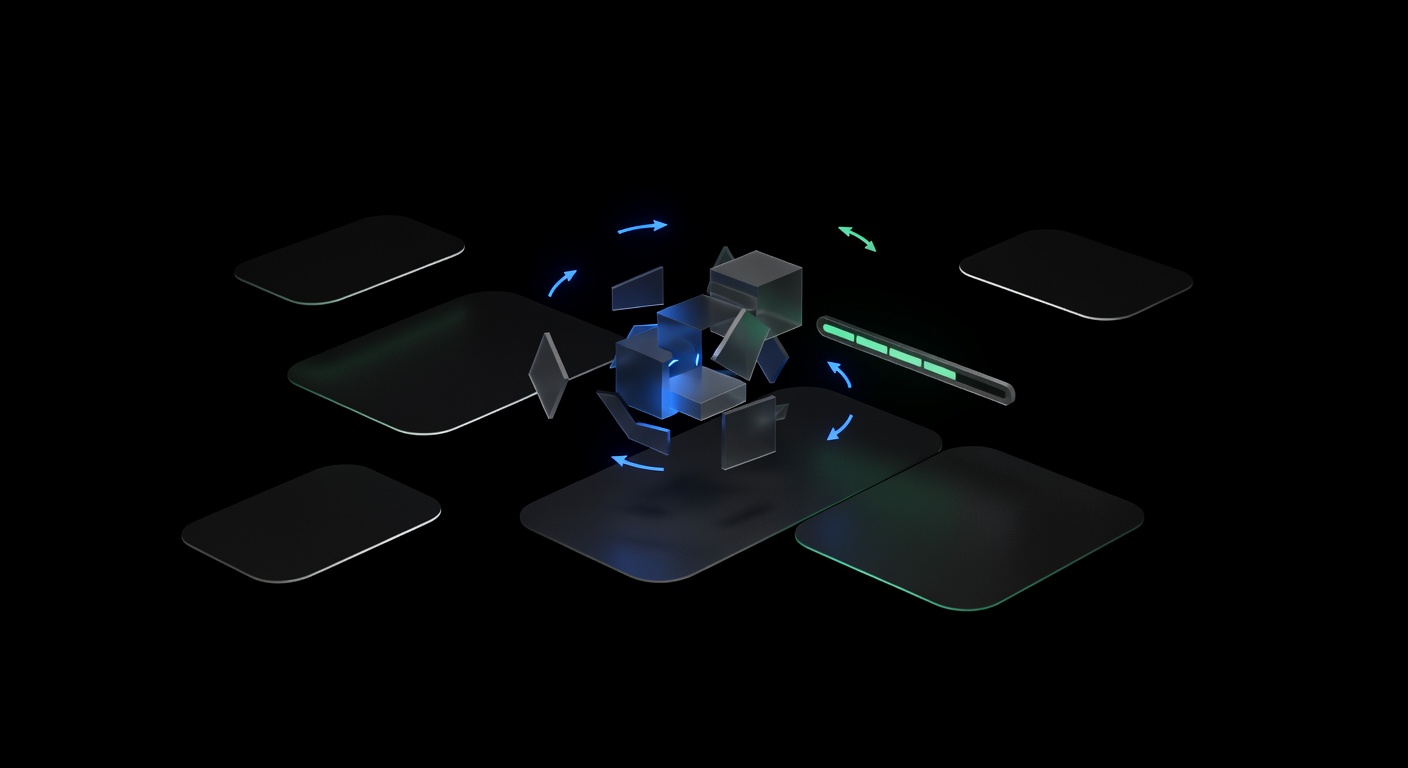
FunCaptcha differs fundamentally from CAPTCHAs like reCAPTCHA or hCaptcha. Instead of asking users to identify objects in photographs, it presents interactive 3D puzzles. The most common challenge type asks the user to rotate a 3D object (an animal, a hand, a die) using arrow buttons until it matches a target orientation shown in a reference image.
Other FunCaptcha challenge variants include:
- Image matching — Select the image that matches a given description from a set of 3D-rendered options.
- Tile ordering — Arrange tiles to form a coherent image.
- Directional challenges — Identify which direction a 3D object is pointing.
The key design principle is that these challenges require spatial reasoning and visual understanding that is difficult for AI models to perform at scale, while being intuitive for humans. Arkose Labs intentionally designs challenges that are computationally expensive for machine learning systems to solve, making brute-force automation economically unviable.
Where Is FunCaptcha Deployed?
Arkose Labs targets high-value platforms where bot abuse has significant financial impact:
- EA (Electronic Arts) — Protects account login and registration on EA.com and Origin.
- Roblox — Defends account creation and login flows against bot armies.
- LinkedIn — Used on registration and certain security-sensitive actions.
- Outlook/Microsoft — Protects account signup flows.
- Financial services — Various banking and fintech platforms use Arkose Labs for transaction verification and account security.
These deployments share a common trait: they are high-value targets where automated account creation, credential stuffing, or bot activity directly translates to financial loss or platform abuse.
How FunCaptcha Detection Works
FunCaptcha is not just a puzzle. It is part of Arkose Labs’ broader detection platform, which combines the visual challenge with multiple layers of risk assessment.
Telemetry Collection
When the Arkose Labs JavaScript loads on a page, it immediately begins collecting telemetry data: browser fingerprint (canvas, WebGL, fonts, navigator properties), behavioral signals (mouse movements, typing patterns), device information, and timing data. This telemetry is sent to Arkose Labs’ backend before the puzzle even appears.
Risk Classification
Based on the collected telemetry, Arkose Labs classifies the session into risk tiers. Low-risk sessions may receive simpler puzzles or pass without a challenge entirely. High-risk sessions receive harder puzzles with more steps, or may be blocked outright if the telemetry strongly indicates automation.
Challenge Enforcement
The puzzle challenge itself is the enforcement mechanism. Even if a bot can solve one puzzle, Arkose Labs can escalate by presenting multiple puzzles in sequence, increasing the number of rotation steps required, or switching to harder challenge variants. The goal is to make each solve expensive enough that large-scale automation becomes uneconomical.
How to Find the FunCaptcha Public Key
To solve FunCaptcha through an API, you need the public key (also called the site key). This key identifies the specific Arkose Labs deployment on the target site.
Method 1: Search the Page Source
Look for the Arkose Labs enforcement script and its configuration:
<script src="https://client-api.arkoselabs.com/v2/XXXXX/api.js" data-callback="onArkoseLoaded"></script>The XXXXX in the URL path is the public key.
Method 2: Inspect Network Requests
Open DevTools and filter network requests for arkoselabs.com. Look for requests to endpoints like:
https://client-api.arkoselabs.com/fc/gt2/public_key/XXXXXThe public key appears in the URL path.
Method 3: Search JavaScript Variables
The public key is often assigned in JavaScript configuration objects. Search the page source for patterns like publicKey, arkose_public_key, or references to the Arkose Labs API URL.
Solving FunCaptcha via API
FunCaptcha uses the FunCaptchaTaskProxyless task type (or FunCaptchaTask if you need to route through your own proxy). The solver handles the 3D puzzle interaction internally and returns a token that validates the challenge.
Python Example
import requests
import time

API_KEY = "YOUR_UCAPTCHA_API_KEY"
BASE_URL = "https://api.ucaptcha.net"

# Step 1: Create the FunCaptcha task
response = requests.post(f"{BASE_URL}/createTask", json={
    "clientKey": API_KEY,
    "task": {
        "type": "FunCaptchaTaskProxyless",
        "websiteURL": "https://www.example.com/login",
        "websitePublicKey": "XXXXXXXX-XXXX-XXXX-XXXX-XXXXXXXXXXXX"
    }
})

task_data = response.json()
if task_data.get("errorId") != 0:
    raise Exception(f"Task creation failed: {task_data.get('errorDescription')}")

task_id = task_data["taskId"]
print(f"Task created: {task_id}")

# Step 2: Poll for the result
while True:
    time.sleep(5)
    result = requests.post(f"{BASE_URL}/getTaskResult", json={
        "clientKey": API_KEY,
        "taskId": task_id
    }).json()

    if result["status"] == "ready":
        token = result["solution"]["token"]
        print(f"Solved! Token: {token[:60]}...")
        break
    elif result["status"] == "processing":
        print("Solving...")
    else:
        raise Exception(f"Error: {result.get('errorDescription')}")
JavaScript Example
const API_KEY = "YOUR_UCAPTCHA_API_KEY";
const BASE_URL = "https://api.ucaptcha.net";

async function solveFunCaptcha(websiteURL, publicKey) {
  const createRes = await fetch(`${BASE_URL}/createTask`, {
    method: "POST",
    headers: { "Content-Type": "application/json" },
    body: JSON.stringify({
      clientKey: API_KEY,
      task: {
        type: "FunCaptchaTaskProxyless",
        websiteURL,
        websitePublicKey: publicKey,
      },
    }),
  });

  const { taskId, errorId, errorDescription } = await createRes.json();
  if (errorId !== 0) throw new Error(errorDescription);

  while (true) {
    await new Promise((r) => setTimeout(r, 5000));

    const resultRes = await fetch(`${BASE_URL}/getTaskResult`, {
      method: "POST",
      headers: { "Content-Type": "application/json" },
      body: JSON.stringify({ clientKey: API_KEY, taskId }),
    });

    const data = await resultRes.json();

    if (data.status === "ready") return data.solution.token;
    if (data.status !== "processing") throw new Error(data.errorDescription);
  }
}
Task Parameters Reference
| Parameter | Type | Required | Description |
|---|---|---|---|
type | string | Yes | FunCaptchaTaskProxyless or FunCaptchaTask |
websiteURL | string | Yes | URL of the page with FunCaptcha |
websitePublicKey | string | Yes | The Arkose Labs public key |
funcaptchaApiJSSubdomain | string | No | Custom API subdomain if the site uses one |
data | string | No | Additional data parameter (blob value) from the page |
proxyType | string | Proxy only | http, https, or socks5 |
proxyAddress | string | Proxy only | Proxy hostname or IP |
proxyPort | integer | Proxy only | Proxy port number |
The Data (Blob) Parameter
Some FunCaptcha implementations include an additional data parameter, sometimes called the “blob.” This is an encoded string passed to the Arkose Labs API during initialization. If the target site uses it, you must capture this value from the page and include it in your task. Without it, the solver may produce tokens that the site rejects.
Look for the blob value in network requests to arkoselabs.com/fc/gt2/ or in the JavaScript that initializes the Arkose enforcement. The data is typically a JSON-encoded string that includes session-specific information.
Injecting the FunCaptcha Token
After receiving the solution token, inject it into the page or include it in your form submission. The token is typically submitted through a hidden input field or passed to a JavaScript callback:
# Direct form submission
form_data = {
    "username": "user@example.com",
    "password": "password",
    "fc-token": token
}
response = requests.post("https://example.com/login", data=form_data)
For browser-based automation, call the Arkose Labs callback function with the token:
// In Playwright or Puppeteer
await page.evaluate((token) => {
  // The callback function name varies by implementation
  window.arkoseCallback(token);
}, token);
Tips for Reliable FunCaptcha Solving
Expect longer solve times. FunCaptcha is more complex than reCAPTCHA or hCaptcha. Typical solve times range from 15 to 45 seconds. Set your polling timeout accordingly.
Always check for the data parameter. Missing the blob value is the most common reason for rejected tokens. If your tokens are being rejected despite successful solves, inspect the page for this parameter.
Use the proxy variant when needed. Sites like EA and Roblox may check IP consistency between the CAPTCHA solve and the subsequent login attempt. Use FunCaptchaTask with your proxy if you see token rejections with the proxyless variant.
Monitor for challenge changes. Arkose Labs frequently updates its challenge types. If solve rates drop suddenly, check whether the site has upgraded to a new Arkose Labs version.
Conclusion
FunCaptcha is one of the most sophisticated CAPTCHA systems in production, combining 3D puzzle challenges with deep telemetry collection and risk-based challenge escalation. Solving it requires specialized infrastructure that can handle the interactive puzzle format.
uCaptcha routes FunCaptcha tasks to providers with the highest solve rates for Arkose Labs challenges, automatically selecting the best option among CapSolver, 2Captcha, AntiCaptcha, CapMonster, and Multibot. Submit your task to api.ucaptcha.net with the FunCaptchaTaskProxyless type, and the routing engine handles provider selection, retries, and failover transparently.
Related Articles

GeeTest CAPTCHA v3 and v4: How to Solve Both Versions
Guide to solving GeeTest v3 (slide puzzle) and v4 (click/match) CAPTCHAs — understanding challenge types, API parameters, and integration examples.
 Pillar Guide
Understanding Anti-Bot Systems: A Developer's Guide
Deep dive into how anti-bot systems work — browser fingerprinting, behavioral analysis, CAPTCHA triggers, IP reputation, and how modern bot protection detects automation.