Types of CAPTCHAs Explained: From Text Recognition to AI Challenges
Comprehensive overview of every CAPTCHA type — text-based, image selection, puzzle, invisible, score-based, and proof-of-work. How each works and how they're solved.
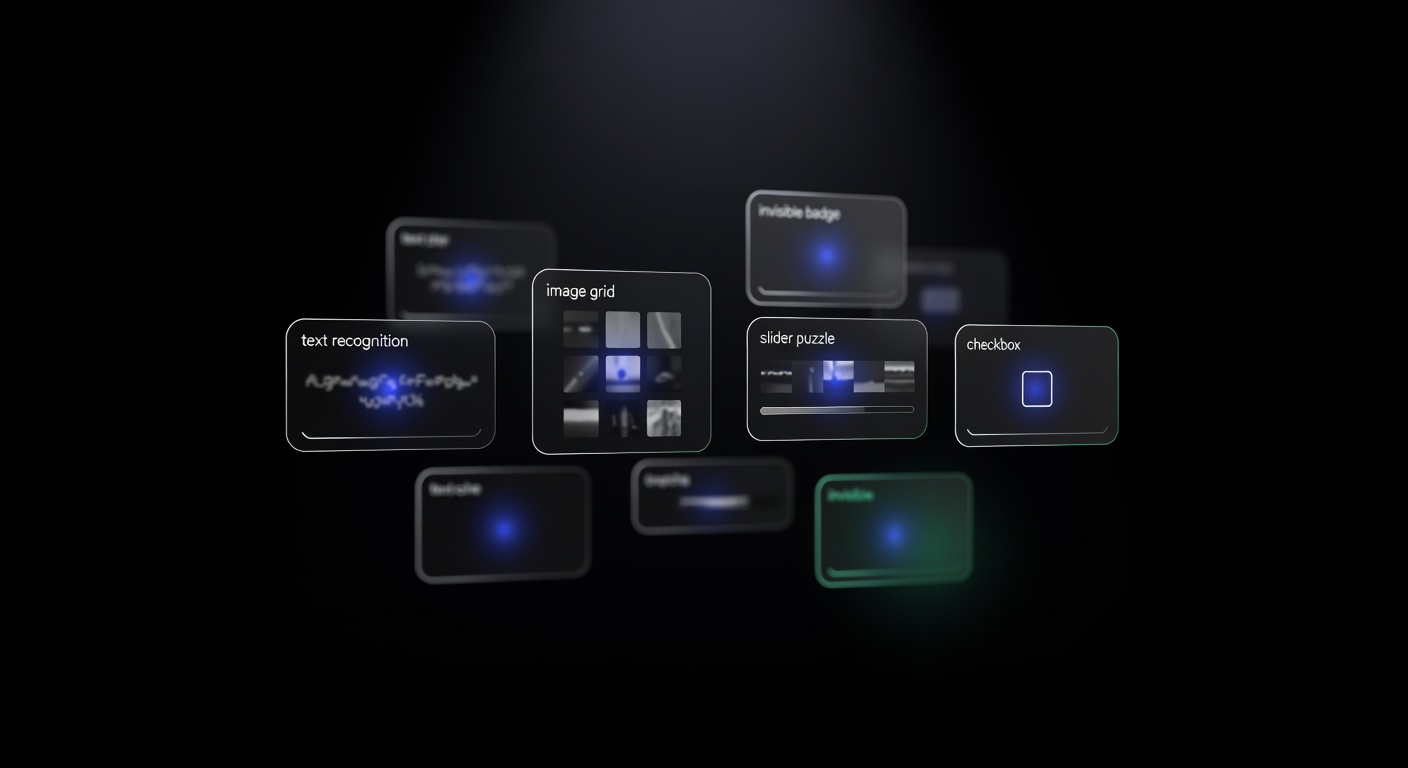
Types of CAPTCHAs Explained: From Text Recognition to AI Challenges
Types of CAPTCHAs have evolved dramatically since the first distorted-text challenges appeared in the early 2000s. What started as a simple test of character recognition has expanded into a diverse ecosystem of verification methods — invisible score-based systems, 3D puzzle challenges, behavioral analysis, and proof-of-work computations. Each type works differently, targets different threat models, and requires a different approach to solve programmatically.
This guide covers every major CAPTCHA category in use today, explains how each one works, and identifies the corresponding API task type for solving them. For a broader view of how CAPTCHAs fit into the larger bot detection landscape, see our pillar guide on understanding anti-bot systems.
Text-Based CAPTCHAs (ImageToText)
The original CAPTCHA format presents distorted text rendered as an image. Users must type the characters they see. The distortion — warping, noise, overlapping characters, varying fonts — is designed to defeat optical character recognition (OCR) while remaining readable to humans.
How they work: The server generates a random string, renders it as a distorted image, and stores the expected answer. The user’s input is compared against the stored answer.
How they are solved: Submit the base64-encoded image to a solver API using the ImageToTextTask task type. The solver returns the recognized text.
{
  "type": "ImageToTextTask",
  "body": "BASE64_ENCODED_IMAGE",
  "case": true
}
Text CAPTCHAs are the simplest to solve and the cheapest to process. They are increasingly rare on major sites but still common on legacy systems, forums, and government websites.
Image Selection CAPTCHAs (GridTask / BoundingBoxTask)
Image selection CAPTCHAs present a grid of images (typically 3x3 or 4x4) and ask the user to select all images matching a given description, such as “select all squares with traffic lights” or “click on all bicycles.”
How they work: The server sends a composite image divided into cells, along with a text prompt. The user clicks the matching cells, and their selections are validated server-side. Some variants load new images dynamically as the user selects cells, extending the challenge.
How they are solved: For grid-based challenges, submit the image and prompt using GridTask. For challenges requiring click coordinates on specific objects, use BoundingBoxTask or CoordinatesTask. The solver returns the indices of selected cells or the pixel coordinates of clicks.
Google’s reCAPTCHA v2 is the most common example. When the checkbox challenge triggers an image grid, the underlying mechanism is an image selection CAPTCHA.
Checkbox CAPTCHAs (reCAPTCHA v2)
The “I’m not a robot” checkbox is Google’s reCAPTCHA v2. Clicking the checkbox triggers a risk analysis based on browser fingerprinting, cookies, and behavioral signals collected before the click. If the risk score is low, the checkbox turns green immediately. If the score is elevated, an image selection challenge appears.
How they work: The reCAPTCHA JavaScript collects environmental data and sends it to Google’s servers when the user clicks the checkbox. Google’s backend returns either a pass (with a token) or a visual challenge. The resulting g-recaptcha-response token is submitted with the form.
How they are solved: Use the RecaptchaV2TaskProxyless task type with the page URL and site key. The solver generates a valid token without needing to interact with the visual challenge directly.
{
  "type": "RecaptchaV2TaskProxyless",
  "websiteURL": "https://example.com",
  "websiteKey": "SITE_KEY"
}
Invisible and Score-Based CAPTCHAs
Invisible CAPTCHAs run entirely in the background with no user interaction required. They analyze behavioral and environmental signals to produce a risk assessment.
reCAPTCHA v3
reCAPTCHA v3 is the primary example. It runs silently on the page, collects behavioral data, and assigns a score from 0.0 (likely bot) to 1.0 (likely human). The site owner decides what score threshold to enforce. There is never a visual challenge — the entire system is invisible to the user.
Task type: RecaptchaV3TaskProxyless. Requires the pageAction parameter matching the action string in the site’s JavaScript.
Cloudflare Turnstile
Turnstile is Cloudflare’s alternative to traditional CAPTCHAs. It runs a series of non-interactive browser challenges — JavaScript execution tests, proof-of-work puzzles, and environment checks — and produces a token. Most users never see a widget at all. When a visible widget does appear, it shows a brief spinner or a simple checkbox.
Task type: TurnstileTaskProxyless. Requires the page URL and the Turnstile site key.
hCaptcha Invisible Mode
hCaptcha can be configured in invisible mode, where it runs in the background and only presents a visual challenge if the risk score is high enough. The solving approach is the same as standard hCaptcha, using HardCaptchaTaskProxyless.
Puzzle CAPTCHAs
Puzzle CAPTCHAs require the user to perform a spatial task: sliding a piece into position, rotating a 3D object, or clicking specific points in sequence.
Slider Puzzles (GeeTest v3)
GeeTest v3 presents a jigsaw-style slider puzzle. A piece is cut from an image, and the user must drag a slider to move the piece to the correct horizontal position. The challenge combines the visual puzzle with behavioral analysis of the drag gesture — speed, acceleration, and smoothness.
Task type: GeeTestTaskProxyless. Requires the gt and challenge parameters extracted from the page. For a complete walkthrough of both GeeTest versions, see our GeeTest v3 and v4 guide.
Click and Match Challenges (GeeTest v4)
GeeTest v4 replaces the slider with click-based challenges. Users might need to click icons in a specific order, match pairs of images, or identify objects that share a common trait. These challenges are more varied and harder to automate than simple slider puzzles.
Task type: GeeTestTaskProxyless with the captcha_id parameter instead of gt/challenge.
3D Rotation Puzzles (FunCaptcha / Arkose Labs)
FunCaptcha presents 3D objects that the user must rotate to match a target orientation using arrow buttons. The challenges use rendered 3D models, making them particularly difficult for image recognition systems. Arkose Labs deploys these on high-value sites like EA, Roblox, and LinkedIn.
Task type: FunCaptchaTaskProxyless. Requires the public key extracted from the page’s Arkose Labs integration. For a detailed guide, see FunCaptcha and Arkose Labs: How They Work and How to Solve Them.
Proof-of-Work CAPTCHAs
Proof-of-work (PoW) challenges force the client’s browser to perform a computationally expensive task — typically finding a hash that meets certain criteria. The goal is to make automated access expensive at scale by consuming CPU resources on the client side.
How they work: The server sends a challenge (a partial hash and a difficulty target). The client’s JavaScript must brute-force a nonce that, when combined with the challenge, produces a hash meeting the difficulty requirement. A real browser spending 1-2 seconds on this computation is barely noticeable, but a bot farm running millions of requests faces significant computational costs.
Where they are used: Kasada and some Cloudflare configurations use PoW challenges as a front-line defense, often combined with fingerprinting and behavioral checks. These challenges do not have a dedicated task type in most CAPTCHA solving APIs because they are typically handled by the browser environment itself rather than solved externally.
Custom and Proprietary CAPTCHAs
Some anti-bot platforms deploy custom challenges that do not fit neatly into standard categories.
DataDome uses a custom slider CAPTCHA on its interstitial challenge pages. It combines the slider interaction with device fingerprinting data collected by its JavaScript sensor. The DataDomeSliderTask type handles these challenges. For details, see our DataDome bot protection guide.
Amazon WAF uses its own token-based challenge system that evaluates browser environment and behavior. The AmazonTask type handles these.
Custom CAPTCHAs built by individual sites (math problems, custom image tasks, logic puzzles) can often be solved using ImageToTextTask if they are image-based, or handled with site-specific automation logic.
Choosing the Right Task Type
When you encounter a CAPTCHA in the wild, identifying the correct task type is the first step. Here is a quick reference:
| CAPTCHA | Task Type | Key Parameters |
|---|---|---|
| Text/image CAPTCHA | ImageToTextTask | body (base64 image) |
| reCAPTCHA v2 | RecaptchaV2TaskProxyless | websiteURL, websiteKey |
| reCAPTCHA v3 | RecaptchaV3TaskProxyless | websiteURL, websiteKey, pageAction |
| hCaptcha | HardCaptchaTaskProxyless | websiteURL, websiteKey |
| Turnstile | TurnstileTaskProxyless | websiteURL, websiteKey |
| FunCaptcha | FunCaptchaTaskProxyless | websiteURL, websitePublicKey |
| GeeTest v3 | GeeTestTaskProxyless | websiteURL, gt, challenge |
| GeeTest v4 | GeeTestTaskProxyless | websiteURL, captcha_id |
| DataDome | DataDomeSliderTask | websiteURL, captchaUrl, userAgent |
All of these task types are supported through uCaptcha’s unified API at api.ucaptcha.net. Regardless of which CAPTCHA type you encounter, the integration pattern is the same: POST to /createTask, poll /getTaskResult, and use the returned solution. uCaptcha routes each task to the best-performing provider automatically, so you get optimal solve rates and pricing without managing multiple provider integrations.
Related Articles
FunCaptcha and Arkose Labs: How They Work and How to Solve Them
Understanding FunCaptcha (Arkose Labs) — the 3D rotating puzzle CAPTCHA, how it detects bots, and how to solve it programmatically using CAPTCHA solver APIs.
 Pillar Guide
Understanding Anti-Bot Systems: A Developer's Guide
Deep dive into how anti-bot systems work — browser fingerprinting, behavioral analysis, CAPTCHA triggers, IP reputation, and how modern bot protection detects automation.