Building a CAPTCHA Solving Microservice with Queues & Callbacks
Architect a CAPTCHA solving microservice — REST API wrapper, task queue, callback webhooks, caching, and horizontal scaling for high-throughput solving.
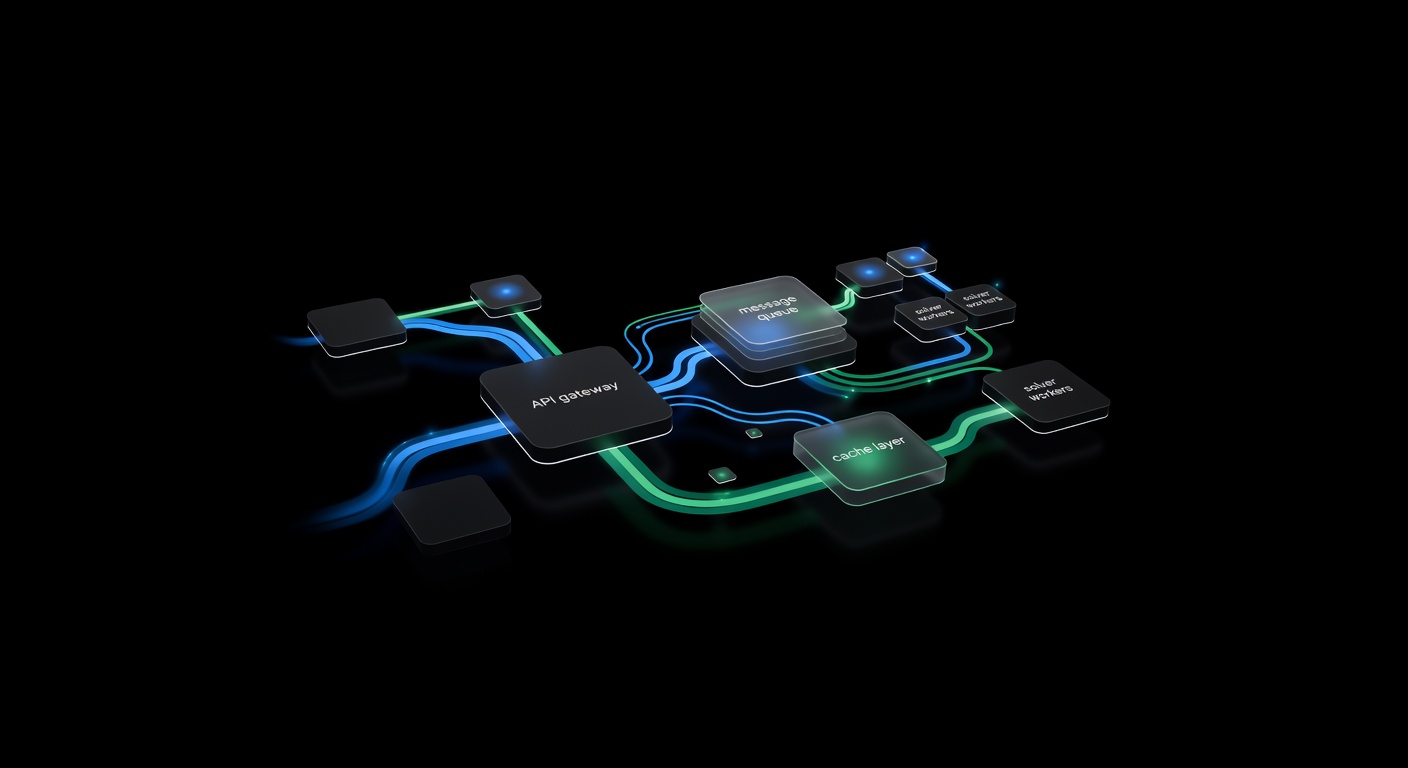
Building a CAPTCHA solving microservice decouples your application logic from the mechanics of CAPTCHA resolution — task creation, polling, retries, and provider management. Instead of embedding solver calls throughout your codebase, internal services post to a single endpoint and receive results via webhook callbacks. This guide covers the architecture, a working Express implementation, and the scaling considerations for high-throughput systems.
For the foundational API concepts, see the CAPTCHA Solver API Integration Tutorial.
Why a Microservice?
Calling a CAPTCHA solver API directly from your application code works fine at low volumes. But as you scale, problems emerge:
- Blocking waits. Polling for results ties up a thread or connection for 10-30 seconds per CAPTCHA.
- Retry duplication. Every caller implements its own retry and error handling logic.
- Provider coupling. Switching providers or adding fallbacks means changing every call site.
- No visibility. Without centralized logging, debugging solve failures requires searching through multiple services.
A microservice solves all of these. Your application sends a request, includes a callback URL, and moves on. The microservice handles queuing, polling, retries, and delivers the result when it is ready.
Architecture Overview
┌──────────────┐     POST /solve      ┌────────────────────┐
│  Your App    │ ──────────────────▶  │  CAPTCHA Service    │
│  (any lang)  │                      │  ┌──────────────┐  │
│              │  ◀── 202 + jobId ──  │  │  Express API  │  │
└──────────────┘                      │  └──────┬───────┘  │
       ▲                              │         │          │
       │                              │  ┌──────▼───────┐  │
       │   POST /callback             │  │  BullMQ      │  │
       │   { jobId, solution }        │  │  Task Queue  │  │
       │                              │  └──────┬───────┘  │
       │                              │         │          │
       └──────────────────────────────│  ┌──────▼───────┐  │
                                      │  │  Worker      │  │
                                      │  │  (solver)    │  │
                                      │  └──────┬───────┘  │
                                      │         │          │
                                      │  ┌──────▼───────┐  │
                                      │  │  uCaptcha    │──┼──▶ 6 Providers
                                      │  │  API Client  │  │
                                      │  └──────────────┘  │
                                      └────────────────────┘
The components:
- Express API — Accepts solve requests, validates input, enqueues the job, returns a job ID immediately.
- BullMQ Queue — Redis-backed job queue. Handles retries, rate limiting, concurrency, and dead-letter queues.
- Worker — Processes jobs from the queue. Calls the uCaptcha API, polls for results, and sends the solution to the callback URL.
- uCaptcha API Client — The
ucaptcha.tsmodule from the Node.js tutorial.
Implementation
Express API
The API accepts a solve request and returns immediately:
// server.ts
import express from "express";
import { Queue } from "bullmq";
import { randomUUID } from "crypto";

const app = express();
app.use(express.json());

const solveQueue = new Queue("captcha-solve", {
  connection: { host: "127.0.0.1", port: 6379 },
});

interface SolveRequest {
  task: {
    type: string;
    websiteURL?: string;
    websiteKey?: string;
    [key: string]: unknown;
  };
  callbackUrl: string;
  priority?: "low" | "normal" | "high";
}

app.post("/solve", async (req, res) => {
  const body = req.body as SolveRequest;

  if (!body.task?.type || !body.callbackUrl) {
    return res.status(400).json({ error: "task.type and callbackUrl required" });
  }

  const jobId = randomUUID();
  const priority = body.priority === "high" ? 1 : body.priority === "low" ? 10 : 5;

  await solveQueue.add(
    "solve",
    {
      jobId,
      task: body.task,
      callbackUrl: body.callbackUrl,
      createdAt: Date.now(),
    },
    {
      jobId,
      priority,
      attempts: 3,
      backoff: { type: "exponential", delay: 5000 },
      removeOnComplete: 1000,
      removeOnFail: 5000,
    }
  );

  res.status(202).json({ jobId, status: "queued" });
});

app.get("/status/:jobId", async (req, res) => {
  const job = await solveQueue.getJob(req.params.jobId);
  if (!job) return res.status(404).json({ error: "Job not found" });

  const state = await job.getState();
  res.json({
    jobId: job.id,
    status: state,
    result: job.returnvalue ?? null,
    failedReason: job.failedReason ?? null,
  });
});

app.listen(3002, () => console.log("CAPTCHA service on :3002"));
Key design decisions:
- 202 Accepted — The response means “I received your request and will process it.” Not 200.
- Priority levels — High-priority jobs get processed first. Useful when some CAPTCHAs are more time-sensitive than others.
- Job ID — A UUID that the caller can use to check status or correlate with the callback.
Worker
The worker pulls jobs from the queue, solves them via the uCaptcha API, and posts results to the callback URL:
// worker.ts
import { Worker } from "bullmq";
import { solve } from "./ucaptcha";

interface SolveJob {
  jobId: string;
  task: Record<string, unknown>;
  callbackUrl: string;
  createdAt: number;
}

const worker = new Worker(
  "captcha-solve",
  async (job) => {
    const data = job.data as SolveJob;
    console.log(`Processing job ${data.jobId}: ${data.task.type}`);

    // Solve via uCaptcha
    const solution = await solve(data.task as any);

    // Deliver result via callback
    const callbackPayload = {
      jobId: data.jobId,
      status: "solved",
      solution,
      solveTime: Date.now() - data.createdAt,
    };

    const resp = await fetch(data.callbackUrl, {
      method: "POST",
      headers: { "Content-Type": "application/json" },
      body: JSON.stringify(callbackPayload),
      signal: AbortSignal.timeout(10_000),
    });

    if (!resp.ok) {
      throw new Error(`Callback failed: ${resp.status} ${resp.statusText}`);
    }

    console.log(`Job ${data.jobId} solved and delivered in ${callbackPayload.solveTime}ms`);
    return callbackPayload;
  },
  {
    connection: { host: "127.0.0.1", port: 6379 },
    concurrency: 20,
    limiter: {
      max: 50,
      duration: 1000,
    },
  }
);

worker.on("failed", (job, err) => {
  console.error(`Job ${job?.id} failed: ${err.message}`);
});

worker.on("completed", (job) => {
  console.log(`Job ${job.id} completed`);
});
Important settings:
- Concurrency: 20 — Process up to 20 CAPTCHAs simultaneously. Each one spends most of its time waiting on the API, so high concurrency is efficient.
- Rate limiter: 50/second — Prevents overwhelming the uCaptcha API during traffic spikes.
- 3 attempts with exponential backoff — Handles transient failures (network errors, solver capacity issues).
Adding Response Caching
Some workflows solve the same CAPTCHA repeatedly (same site, same key). Cache recent solutions to skip redundant API calls:
import Redis from "ioredis";

const redis = new Redis();

async function solveWithCache(task: Record<string, unknown>): Promise<any> {
  // Build a cache key from the task parameters
  const cacheKey = `captcha:${task.type}:${task.websiteKey}:${task.websiteURL}`;
  const cached = await redis.get(cacheKey);

  if (cached) {
    console.log("Cache hit");
    return JSON.parse(cached);
  }

  const solution = await solve(task as any);

  // Cache for 90 seconds (tokens expire in ~120s, leave buffer)
  await redis.setex(cacheKey, 90, JSON.stringify(solution));

  return solution;
}
Caching is only safe when:
- The target site does not bind tokens to a session or IP.
- Tokens have not expired (keep TTL well below the token’s actual expiry).
- You are making multiple requests to the same page in rapid succession.
For most production use cases, tokens are single-use, so caching has limited applicability. But for testing environments or sites with generous token policies, it cuts costs significantly.
Using uCaptcha’s Built-in Callbacks
Before building your own polling worker, note that the uCaptcha API itself supports callbacks. When you include a callbackUrl in your /createTask request, the API sends the result directly to your URL when the solve completes:
const resp = await fetch("https://api.ucaptcha.net/createTask", {
  method: "POST",
  headers: { "Content-Type": "application/json" },
  body: JSON.stringify({
    clientKey: process.env.UCAPTCHA_KEY,
    task: {
      type: "RecaptchaV2TaskProxyless",
      websiteURL: "https://example.com",
      websiteKey: "SITE_KEY",
    },
    callbackUrl: "https://your-service.com/captcha-callback",
  }),
});
This eliminates the polling loop entirely. Your worker just creates the task and the uCaptcha API delivers the result. This simplifies the architecture:
Your App → Microservice → uCaptcha API (with callbackUrl)
                ↑                          │
                └──── callback delivery ───┘
The microservice still provides value as the centralized entry point, error handler, and logger — but the polling is offloaded to uCaptcha.
Horizontal Scaling
The architecture scales horizontally at every layer:
Multiple workers. Run additional worker processes on separate machines. BullMQ handles job distribution automatically via Redis.
API replicas. Put the Express API behind a load balancer. All instances share the same Redis-backed queue.
Redis cluster. For very high throughput, switch from standalone Redis to a Redis Cluster for the queue backend.
A practical scaling target: a single worker with concurrency 20 handles approximately 50-80 CAPTCHAs per minute (depending on solve times). Three workers handle 150-240 per minute. Scale linearly by adding workers.
Monitoring
Add basic metrics to track system health:
// Track in your worker
const metrics = {
  tasksProcessed: 0,
  tasksFailed: 0,
  avgSolveTime: 0,
  totalSolveTime: 0,
};

worker.on("completed", (job) => {
  const solveTime = job.returnvalue?.solveTime ?? 0;
  metrics.tasksProcessed++;
  metrics.totalSolveTime += solveTime;
  metrics.avgSolveTime = metrics.totalSolveTime / metrics.tasksProcessed;
});

worker.on("failed", () => {
  metrics.tasksFailed++;
});

// Expose via health endpoint
app.get("/health", (req, res) => {
  res.json({
    uptime: process.uptime(),
    queue: await solveQueue.getJobCounts(),
    ...metrics,
  });
});
Alert when:
- The queue depth grows beyond a threshold (workers cannot keep up).
- The failure rate exceeds a percentage (provider issues or balance depletion).
- Average solve time increases significantly (solver degradation).
Summary
A CAPTCHA solving microservice gives you a clean separation of concerns: your application logic submits solve requests, and the microservice handles queuing, retries, provider communication, and result delivery. The Express + BullMQ + uCaptcha combination shown here handles tens of thousands of solves per day with minimal infrastructure.
uCaptcha simplifies the architecture further with built-in callback support and intelligent routing across six providers. You do not need to manage provider failover or cost optimization yourself — the routing engine handles it based on your configuration at ucaptcha.net. Start with the direct API integration, and graduate to this microservice pattern when your volume demands it.
Related Articles
 Pillar Guide
CAPTCHA Solver API Integration: Step-by-Step Tutorial
Step-by-step tutorial for integrating a CAPTCHA solver API into any project. Covers authentication, task creation, polling, error handling, and production best practices.
Node.js CAPTCHA Solving: Complete Integration Guide
Integrate CAPTCHA solving into Node.js applications using fetch or axios. Covers async/await patterns, TypeScript types, and a reusable client module.